Restaurant counter
Connect menu selection, order confirmation and checkout for cashiers and front-of-house staff, with a large touch area and tested peripherals.
CAIRAN C9 · DESKTOP POS
Premium desktop hardware, tested POS software and integration. A customer-ready checkout for restaurants and retail.
Restaurant counter application scenarioConfigured for your workload
Adapted to Android hardware
The complete checkout chain
Support and rollout feedback
01 / THE COMPLETE SOLUTION
A professional cash register must fit the counter, respond to staff, connect peripherals and work with the business systems behind each transaction. Cairan C9 brings slim full-metal hardware together with a software delivery process built around the real operation.
Cairan does not manufacture hardware. We select suitable products, adapt hardware and software, and test the complete workflow for end users, distributors and local solution providers.
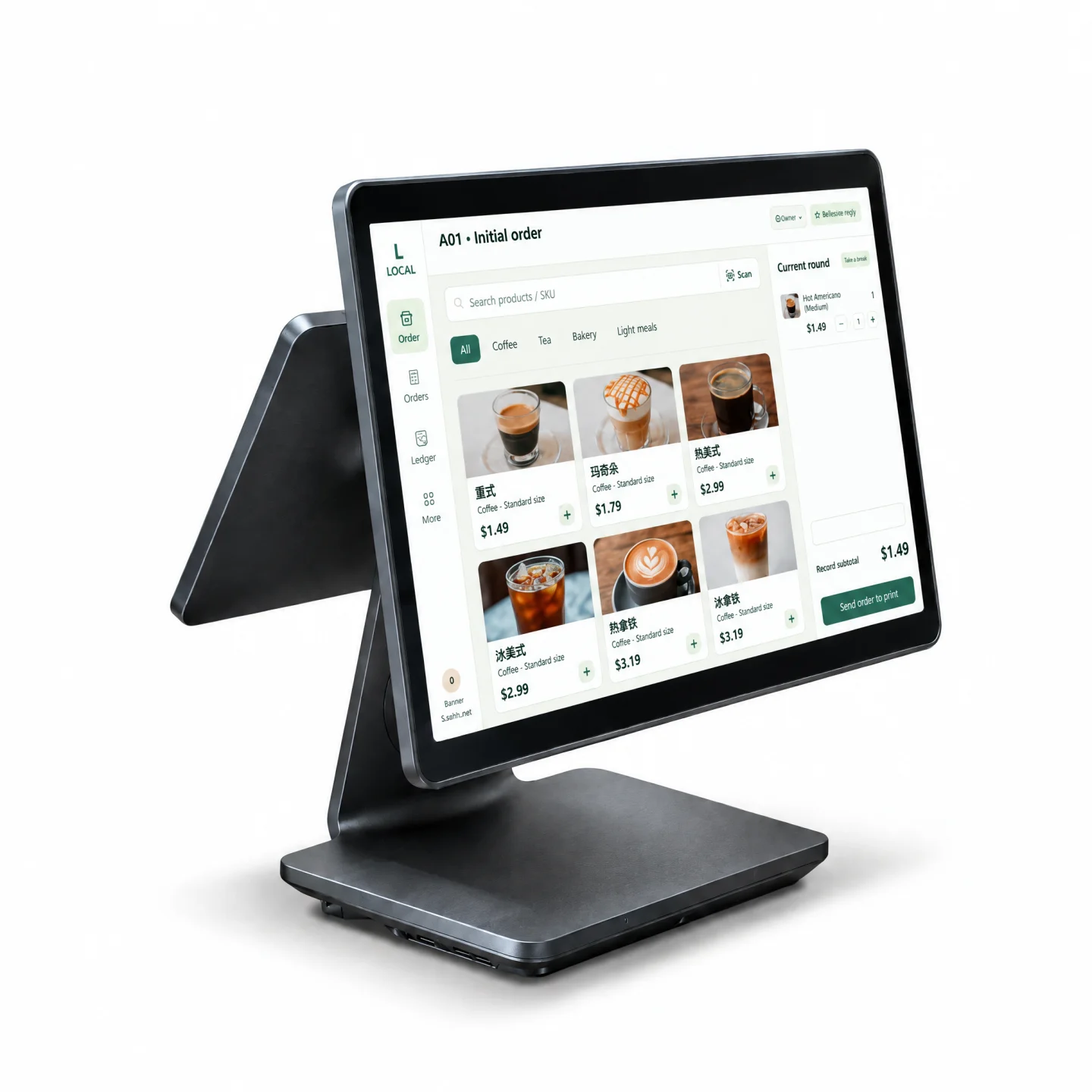
02 / PRODUCT FILM
Explore the C9 family’s design, display formats and counter applications in this product film. The model, screen combination, software and peripherals are confirmed in the fit check.
Open the video watch page03 / HARDWARE DESIGN
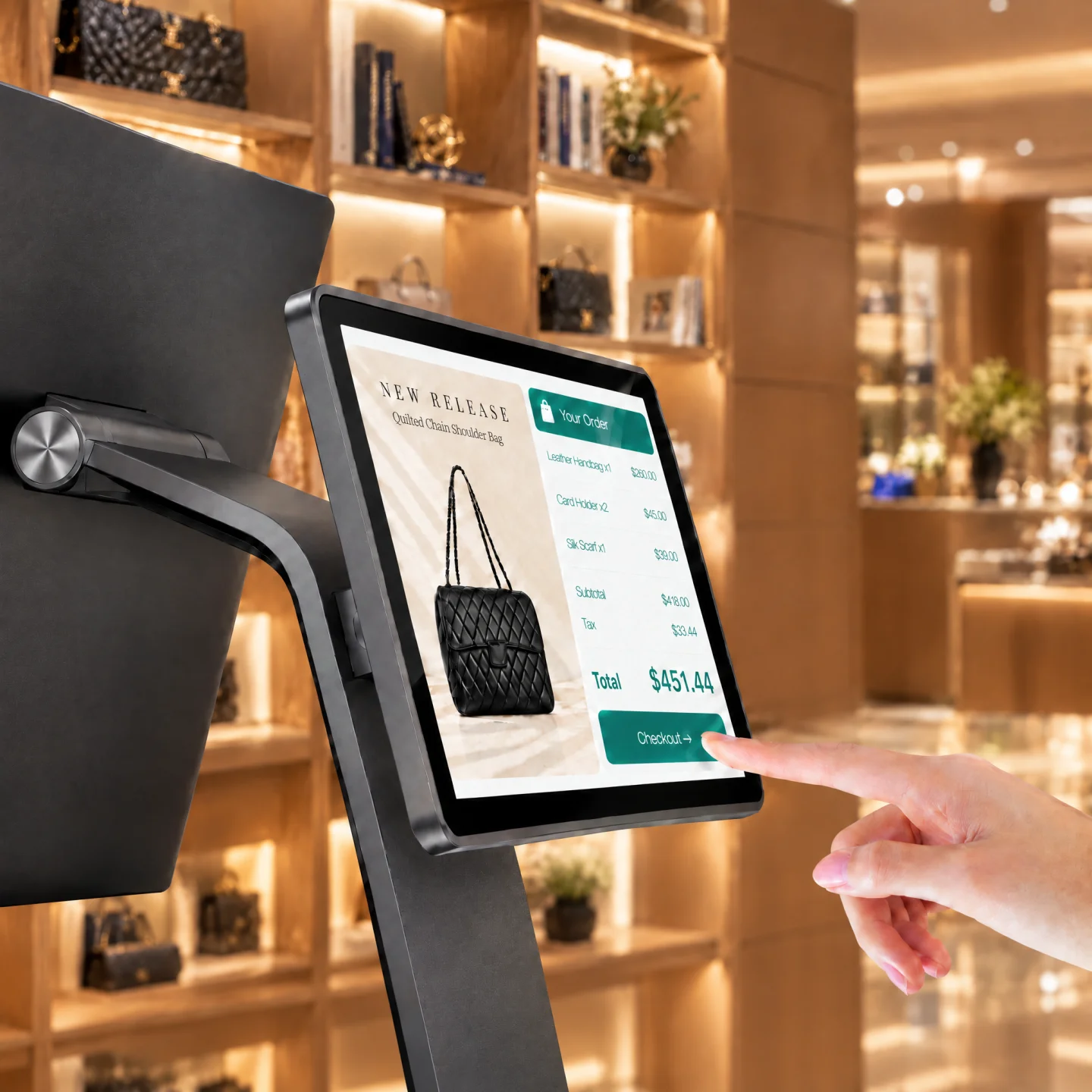
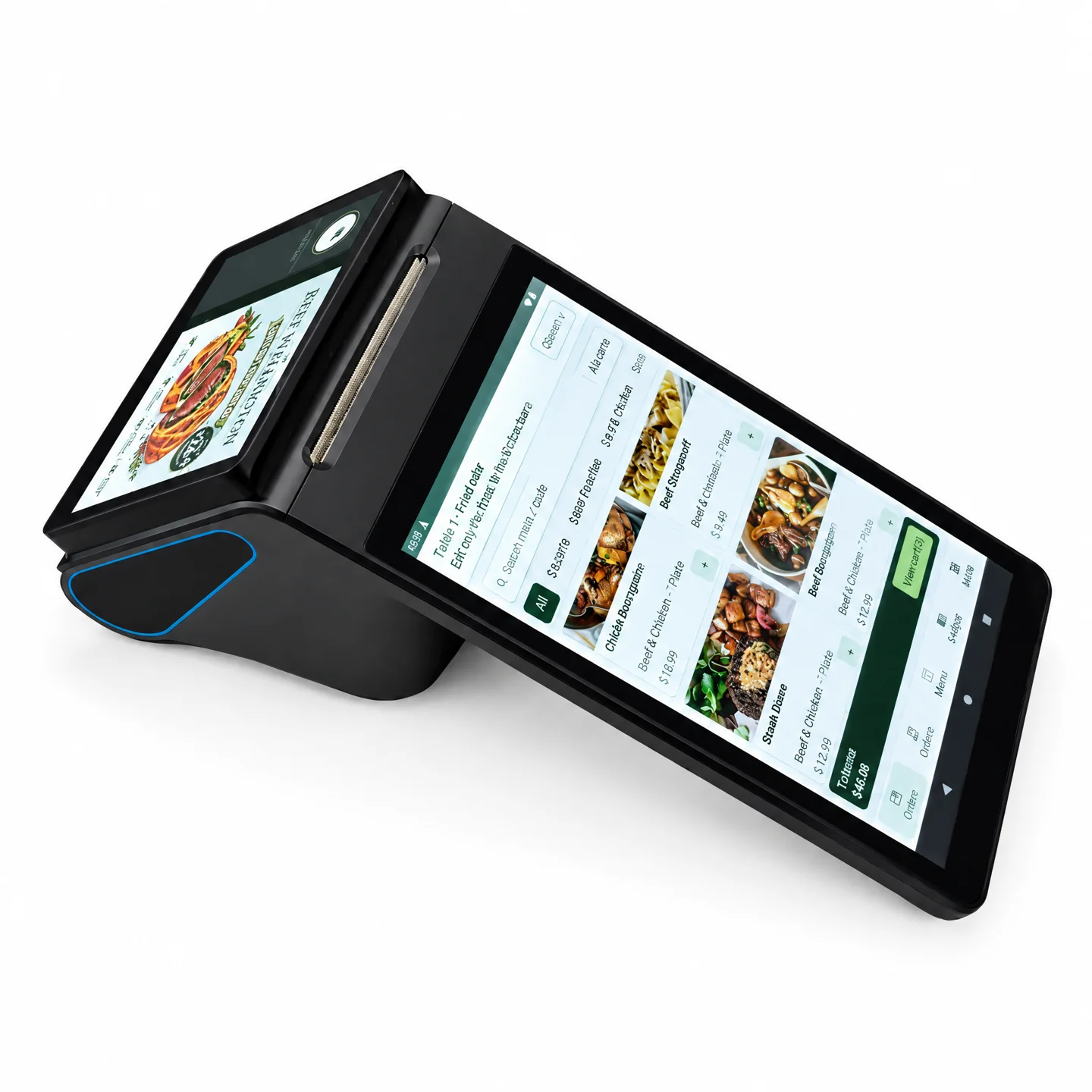
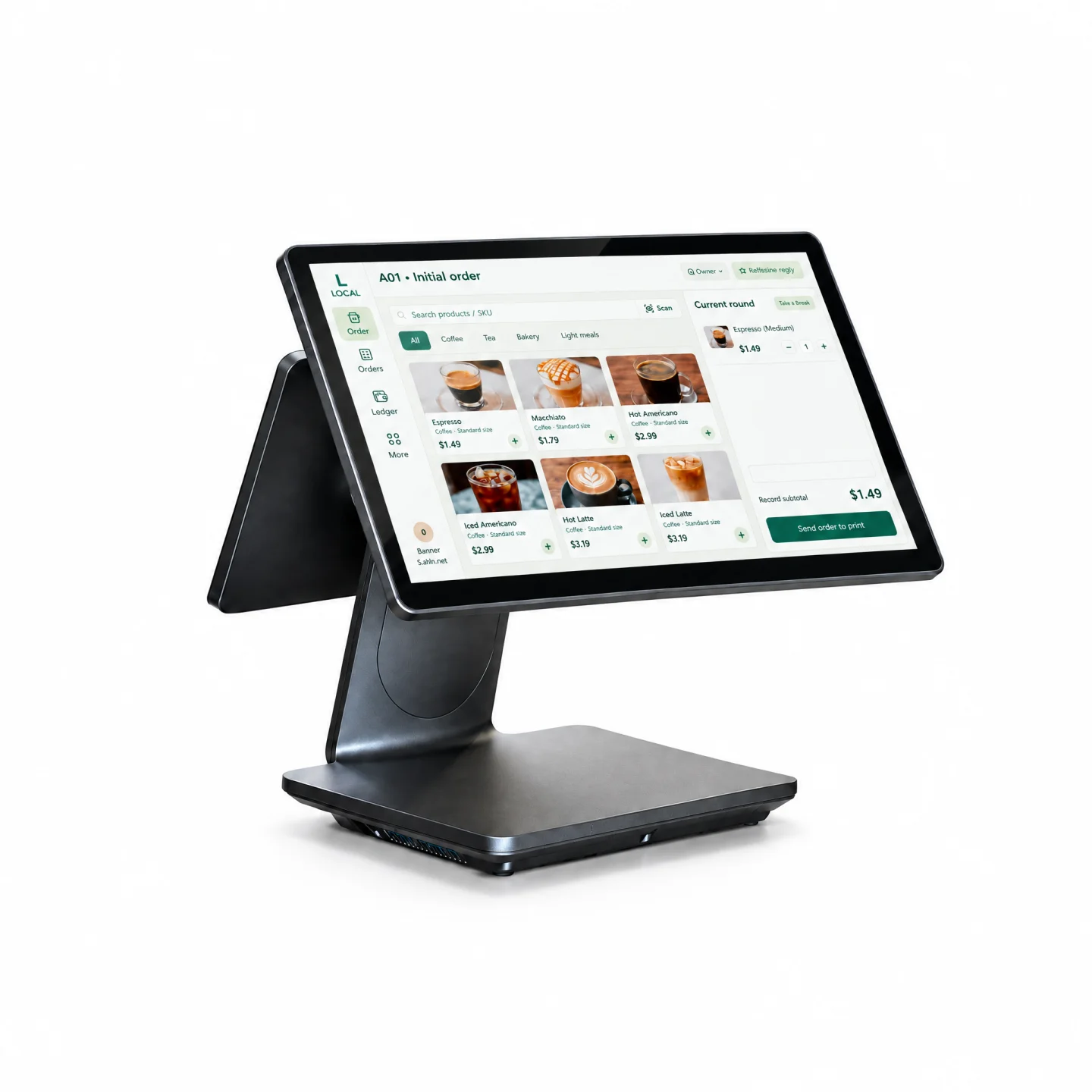
A slim structure and full-metal body fit premium restaurants, cafés, hotels and boutiques. A visible counter also needs room for staff operation, receipt printing, scanning, payment handoff and customer confirmation.
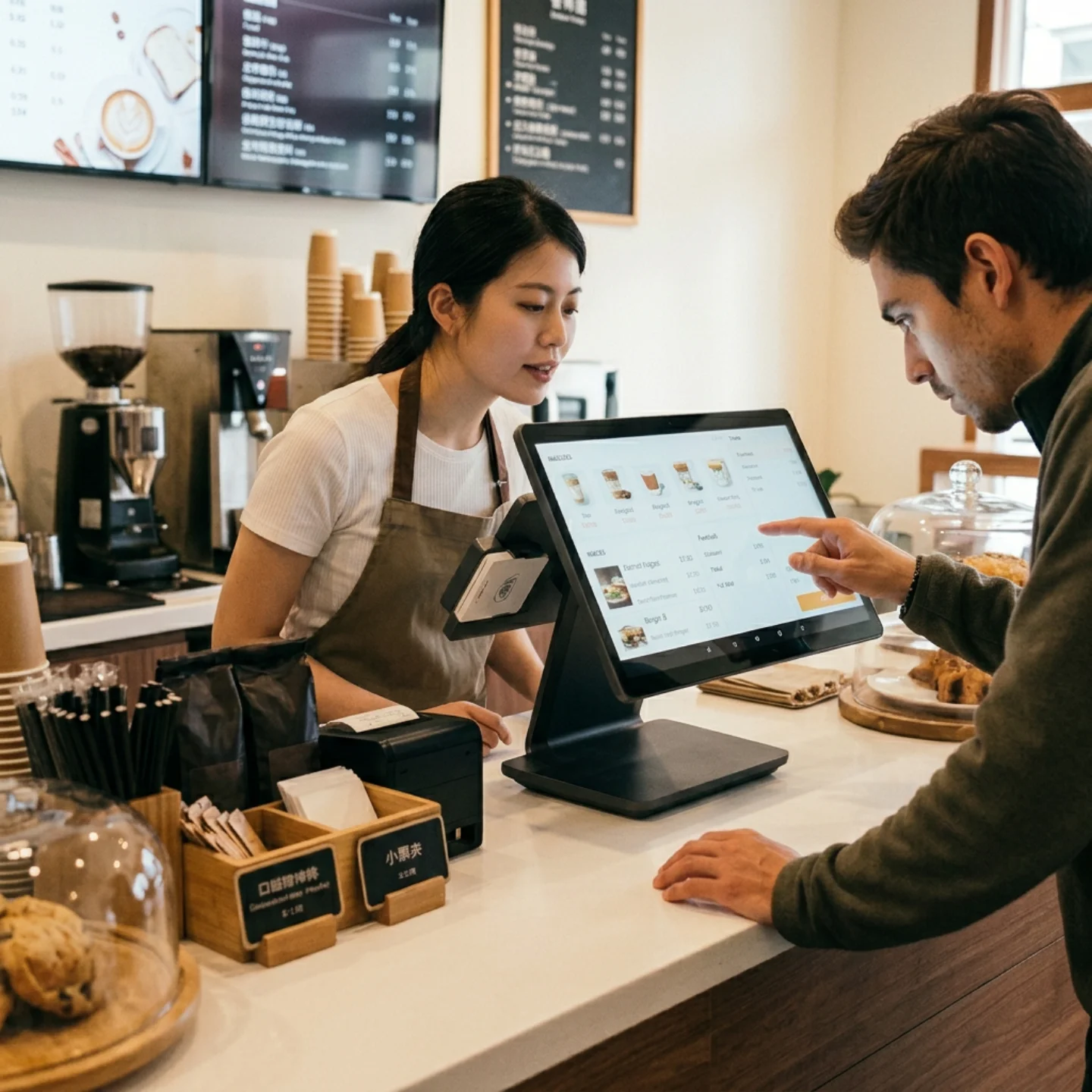
The 15.6-inch, 1920 × 1080 touchscreen gives categories, menus, modifiers, orders and checkout room to work. Choose an octa-core 2.2 GHz configuration with 4 GB + 64 GB, 8 GB + 128 GB or 8 GB + 256 GB for the workload.
Evaluate a 10.1-inch or 15.6-inch customer touchscreen. The final configuration is confirmed in the quotation and project specification.
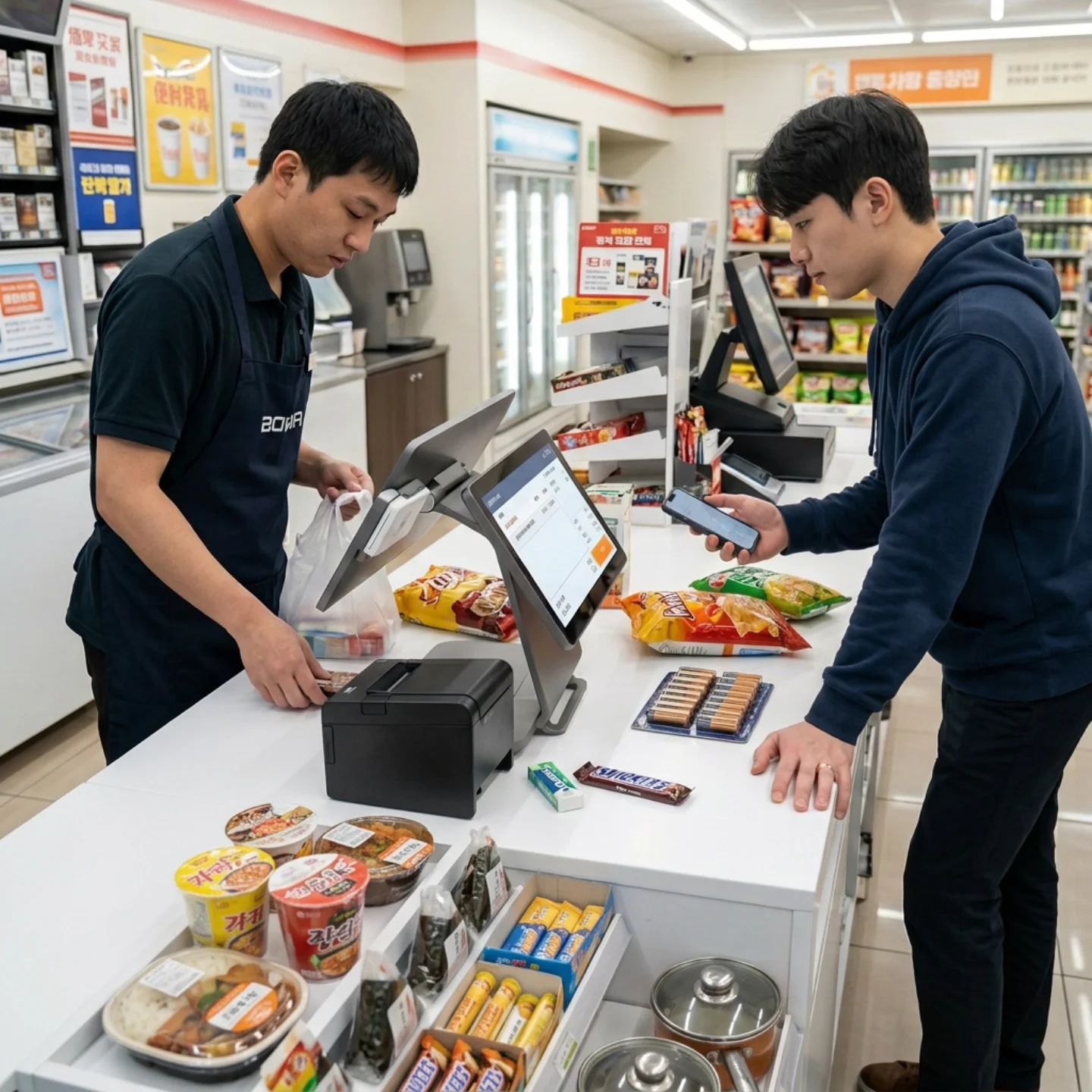
USB, RJ11, RJ12, RJ45, DC and Type-C interfaces, together with Ethernet, dual-band WLAN and Bluetooth, provide a connection base. A port list is not a compatibility guarantee.
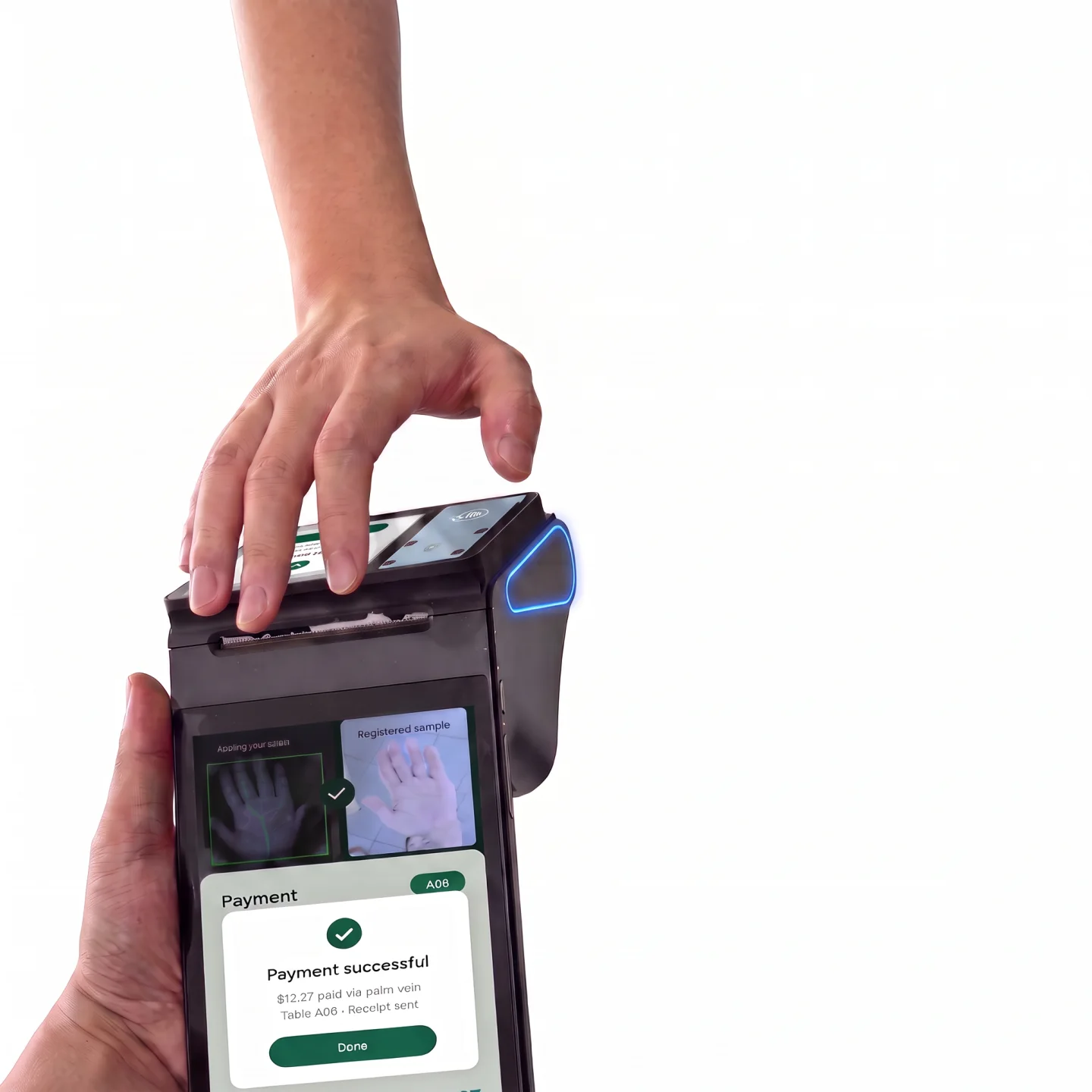
Cairan tests selected printers, cash drawers, scanners, customer displays and payment devices: drivers, protocols, serial or USB communication, input fields, print commands, status and recovery. Card-reader and contactless options depend on the target market, payment software and acquiring service.
04 / AT YOUR COUNTER
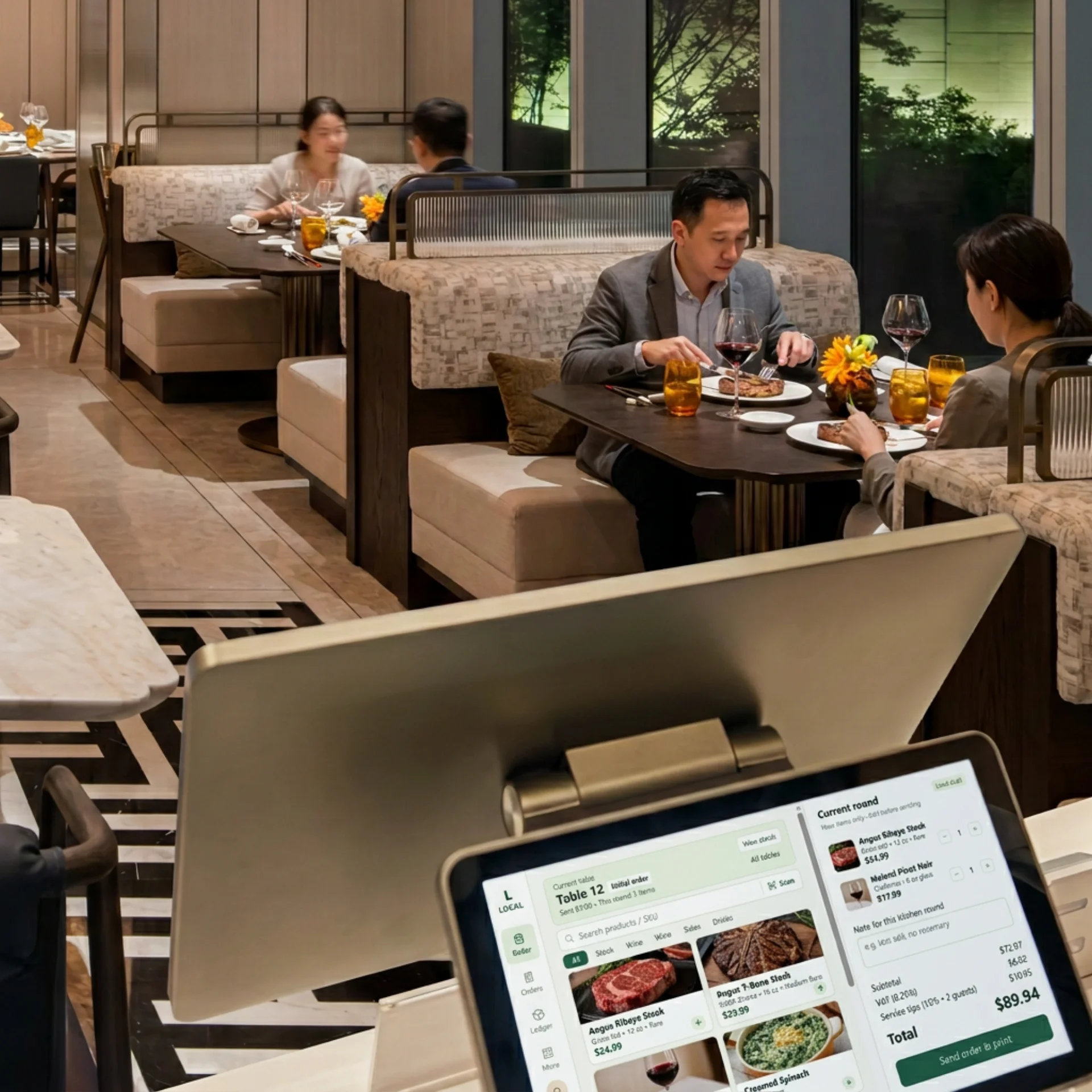
Connect menu selection, order confirmation and checkout for cashiers and front-of-house staff, with a large touch area and tested peripherals.
Organize fast product selection, modifiers and payment handoff for baristas and counter staff.
Connect product lookup, barcode checkout, receipts and stock workflows; evaluate scanner and printer compatibility.
Support one-to-one service, customer confirmation and premium checkout with a metal body, customer display and tailored software.
Application scenarios are illustrative. Hardware configuration, peripherals and integration scope are confirmed by project.
05 / DELIVERY
Review staff, products, network and existing systems.
Select C9 hardware and the required peripherals.
Define standalone, offline, online or hybrid deployment.
Connect menus, orders, stock, reports and external fields.
Test, train, hand over and support the rollout.
06 / SOFTWARE & SYSTEMS
From restaurant ordering to business analysis, connect daily checkout with the work that follows. Existing interfaces illustrate the software direction; final modules and functions are confirmed by project.
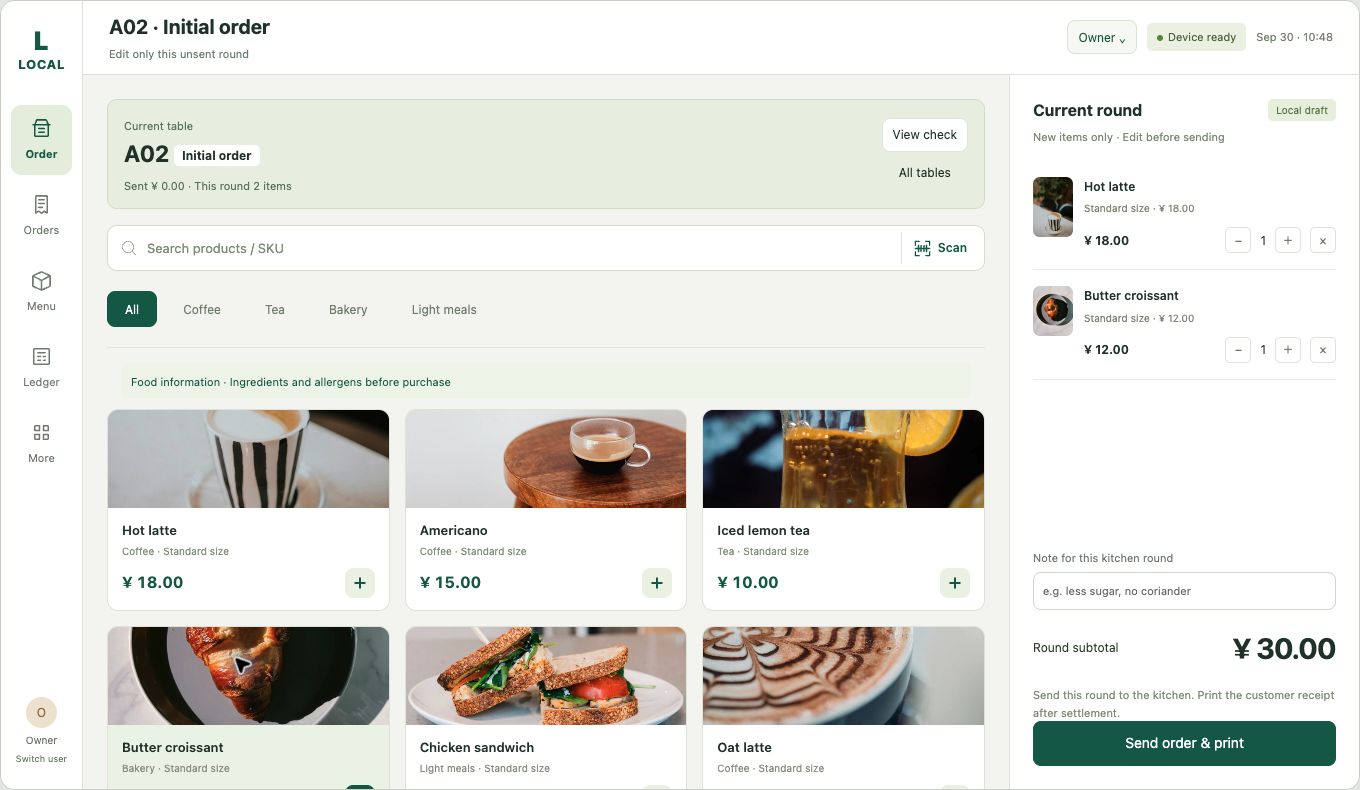
Existing software interface preview. Functions and data rules are confirmed by project.
01 / POS SOFTWARE
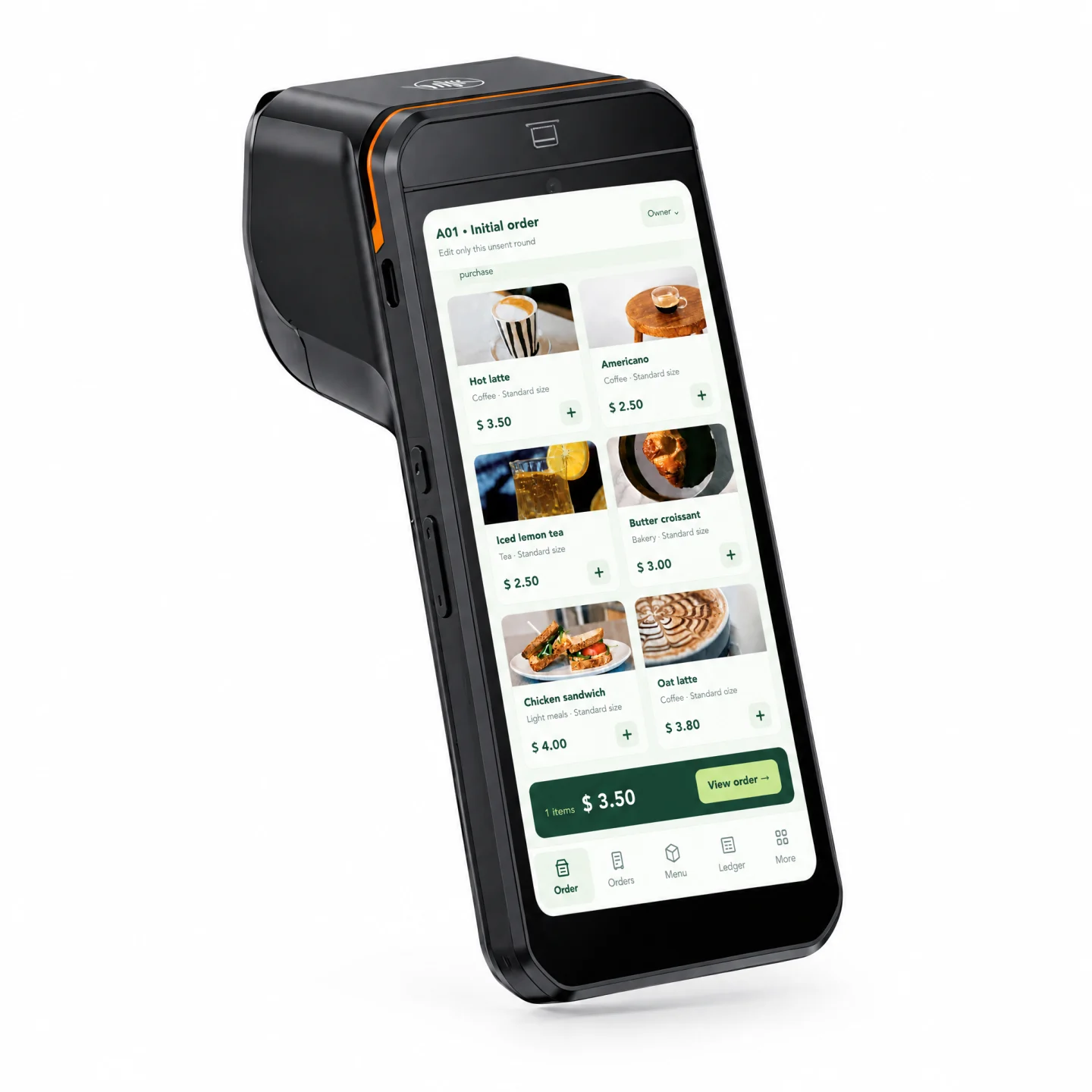
Organize categories, product images, order details, modifiers and checkout. Menu, ingredient and recipe data can be evaluated against the restaurant’s business rules.
Explore POS software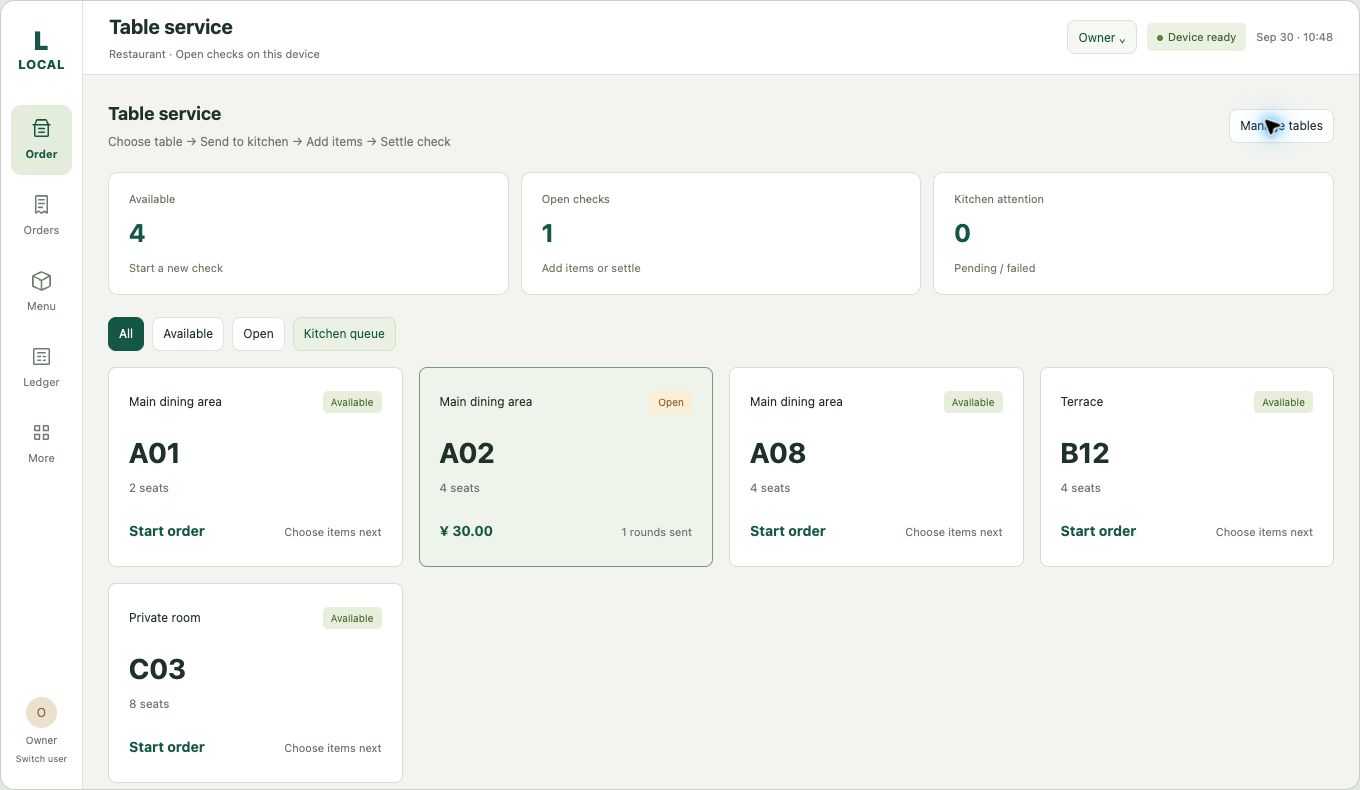
Existing software interface preview. Functions and data rules are confirmed by project.
02 / POS SOFTWARE
Connect table and area information to ordering, open checks and checkout for table-based service.
Explore POS software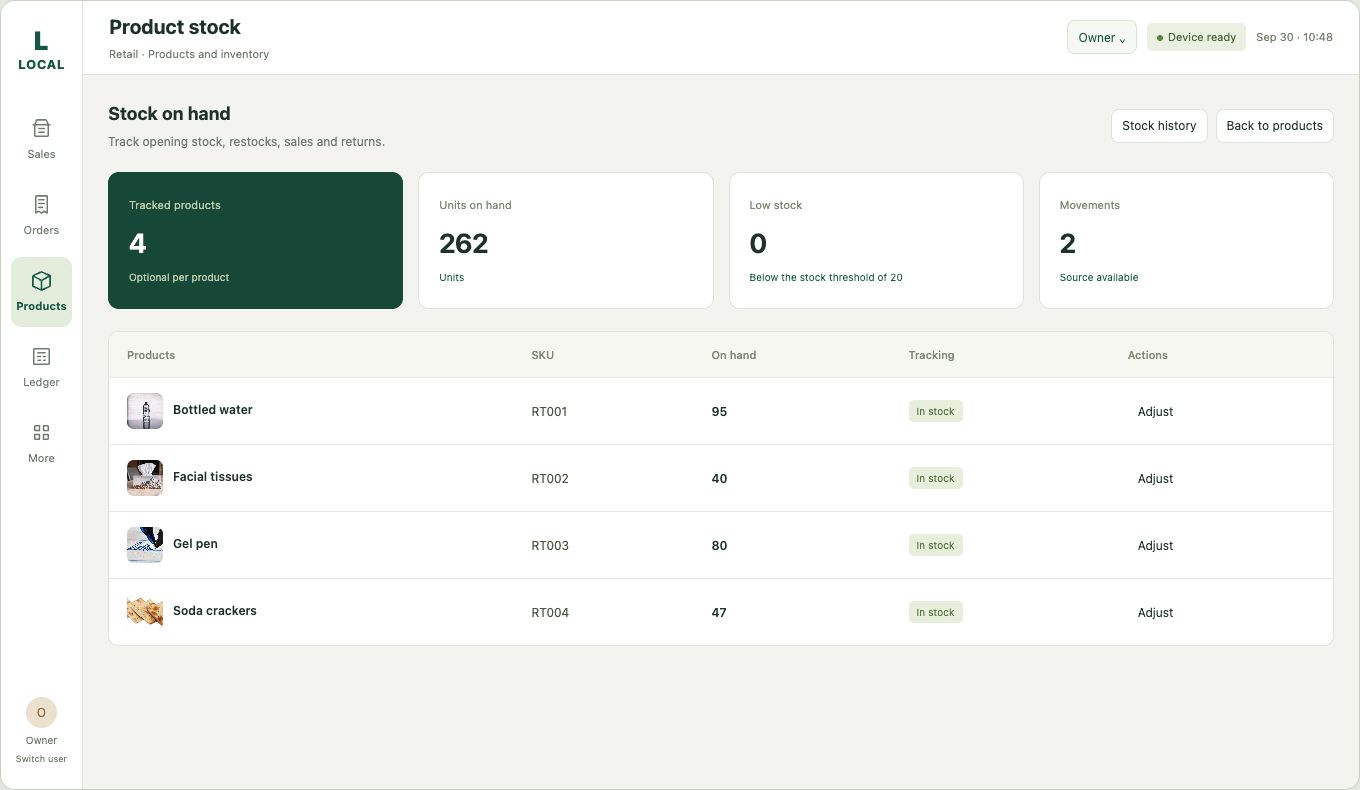
Existing software interface preview. Functions and data rules are confirmed by project.
03 / POS SOFTWARE
Connect product movement, stock and purchasing rules. Confirm integration, data ownership and synchronization by project.
Explore POS software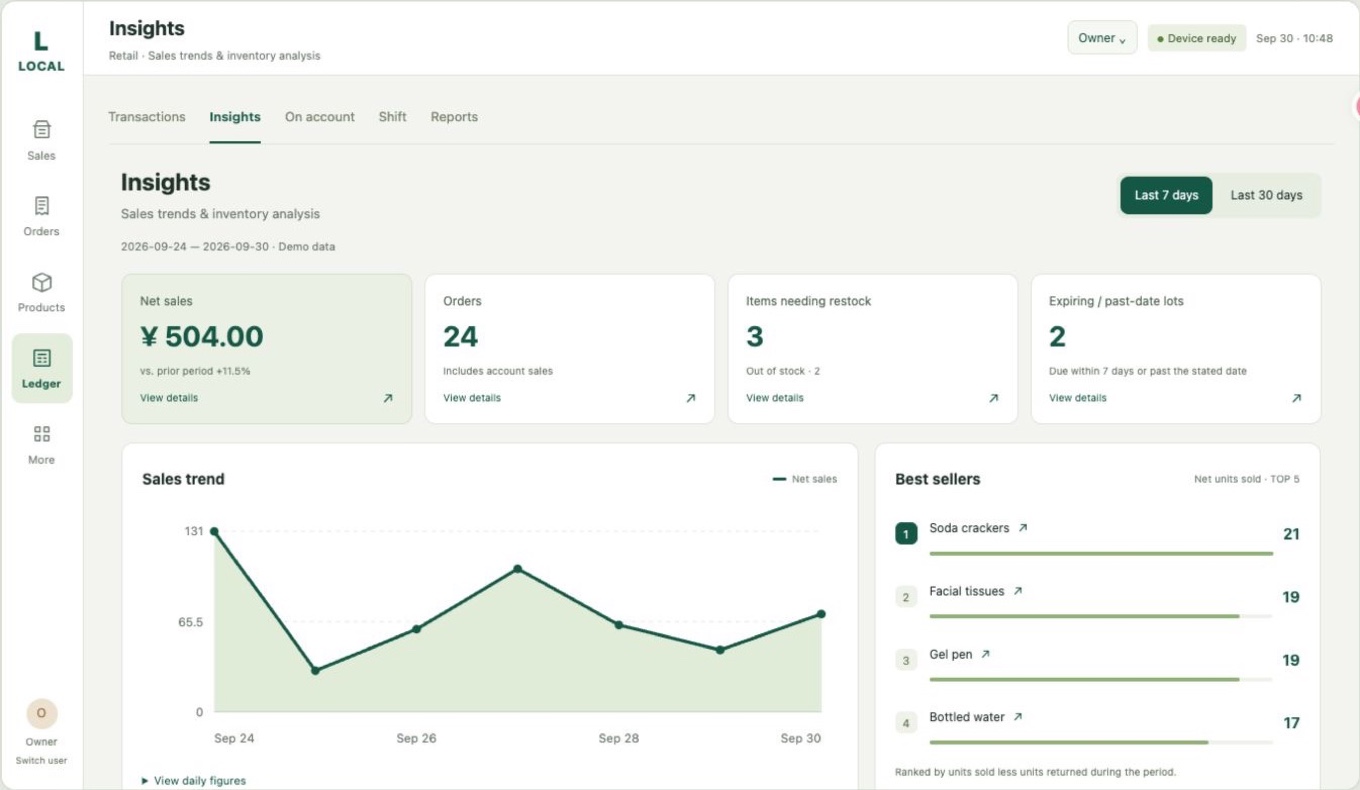
Existing software interface preview. Functions and data rules are confirmed by project.
04 / POS SOFTWARE
Understand sales, product performance and customer groups for the next business decision. Report definitions and data scope are confirmed by project.
Explore POS software07 / INTEGRATION
Compatibility depends on protocols, drivers, SDK/API access, network conditions and testing. Define fields, data ownership, synchronization, recovery and acceptance scope first.
Customer displays, kitchen displays (KDS), kitchen printers, in-store digital signage and electronic shelf labels (ESL).
Membership, loyalty rewards, points, CRM and multi-store management.
ERP, inventory, financial management, accounting, bank settlement and reconciliation.
Older debit and credit card readers, magnetic stripe readers (MSR), scanners and receipt printers from different brands.
Local data storage with defined backups. Offline functions and payment scope are agreed before delivery.
Centralized data and remote management. Hybrid projects require defined synchronization, conflict handling, security and recovery rules.
08 / CUSTOMER SUCCESS
Reduce technical friction and make daily checkout usable. Connect data across menus, orders, inventory, bills and customer systems to identify promising products and valuable customer groups. Use that feedback to improve the next software release and store rollout.
09 / SPECIFICATIONS
| Operating system | Android 14-based operating system |
|---|---|
| Processor | Octa-core 2.2 GHz |
| Memory | 4 GB RAM + 64 GB ROM; 8 GB RAM + 128 GB ROM; 8 GB RAM + 256 GB ROM |
| Main display | 15.6-inch; 1920 x 1080; touch; G+G |
| Customer display | 10.1-inch; 1280 x 800; touch; G+G; or 15.6-inch; 1920 x 1080; touch; G+G |
| Interfaces | 4 x USB; RJ11 (RS232); RJ12; RJ45; DC; Type-C debug; Type-C hub; optional Micro USB display extension |
| WLAN | 802.11 a/b/g/n/ac; 2.4 GHz / 5 GHz |
| Bluetooth | Bluetooth 5.0; Classic and BLE |
| Ethernet | 10/100/1000 Mbps |
| Power supply | 12 V / 3 A |
| Certification | CE; FCC; BIS; GMS listed in the hardware specification table |
Customer display, card readers, contactless modules, microphones and extended display ports are configuration-dependent. Certification information comes from the supplied specification; confirm applicable variants and documentation by project. The quotation and project specification define the final configuration.
Download specifications CSV10 / FAQ
C9 is positioned mainly as a professional desktop cash register and touch screen POS. It can run the selected Android-compatible POS software and connect to the peripherals and business systems confirmed for the project.
No. Cairan selects suitable POS hardware and focuses on hardware adaptation, Kotlin software development or integration, testing, delivery and customer support.
A browser prototype may demonstrate a workflow, but production use requires verified printer, cash drawer, scanner, payment, network, offline, security and data-synchronization behavior. Cairan provides a tested hardware and software delivery path.
Cairan first identifies the data owner, integration interface, product and order fields, synchronization direction and migration requirements. Compatibility is tested rather than assumed.
Cairan can evaluate standalone, local, offline, online or hybrid deployment. Standalone POS software uses an SQLite database for local operation and defined backup procedures. Cloud POS software uses a MySQL database for centralized data and remote management. Offline functions, payment scope, local data, backup and synchronization rules are defined before delivery.
The current direction covers menu, category, recipe-related data, table management, ordering, bills, business analysis, inventory and purchasing. Kitchen Display System (KDS), Kitchen Order Printer, Membership Management System, Customer Loyalty and Rewards System, Membership Points and Rewards System, Customer Relationship Management System (CRM System), Enterprise Resource Planning System (ERP System), Inventory Management System, Financial Management System, Accounting System, Bank Settlement and Reconciliation Integration, multi-store management and third-party integration can be evaluated as project work.
For hardware communication, Cairan can also evaluate legacy debit and credit card readers, Magnetic Stripe Readers (MSR), different scanner brands, different printer brands, In-Store Digital Signage Systems, Electronic Shelf Label Systems (ESL Systems) and other physical subsystems. Compatibility depends on the device protocol, driver, SDK/API and test results.
Yes. C9 can be evaluated for product lookup, checkout, barcode scanning, receipt printing, cash-drawer control, customer management, inventory and external-system integration, subject to compatibility testing.
It means reducing technical friction, helping the customer understand the operation and data, identifying high-potential products and customer groups, and using the result to improve future business decisions and repeat deployments.
Please provide the industry, country or region, number of terminals and stores, existing POS or ERP, debit or credit card readers, Magnetic Stripe Readers (MSR), scanner and printer brands, kitchen systems, digital signage, electronic shelf labels, membership and loyalty requirements, inventory, finance, accounting and bank settlement requirements, network conditions, software mode, required subsystems and rollout plan.
START WITH A FIT CHECK
Tell us your industry, region, terminal and store count, existing POS or ERP, peripheral brands, network conditions and rollout plan. Let’s define how C9 hardware and software fit together.
Discuss the C9 configurationHardware, customization and integration services are quoted by project.